Start an Open-Ended Meditation Timer
Insight Timer's open-ended timer lets you meditate without a set end time. You control when your session stops, which is perfect for extending your practice or exploring a longer meditation experience.
How to Set an Open-Ended Timer
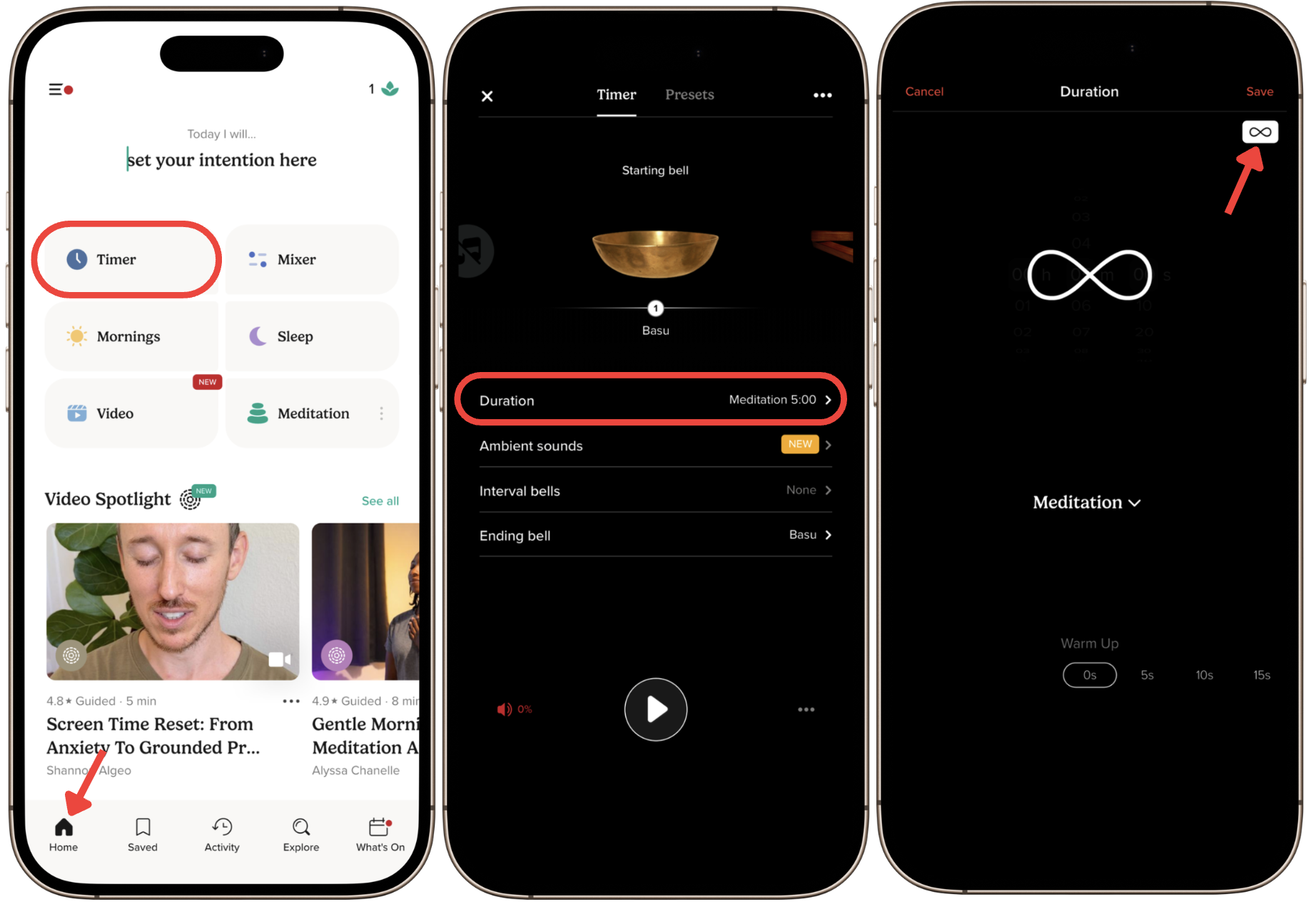
- Go to the Home tab.
- Tap the Timer tile icon at the top of the screen.
- Tap Duration.
- Select the infinity symbol (∞).
- Tap Start to begin your session.
Your Session Continues Until You Stop It
With an open-ended timer, you're in control. Your meditation timer will run without stopping until you manually end the session. This is ideal if you want a flexible breathwork, mindfulness, or meditation practice that fits your own pace.