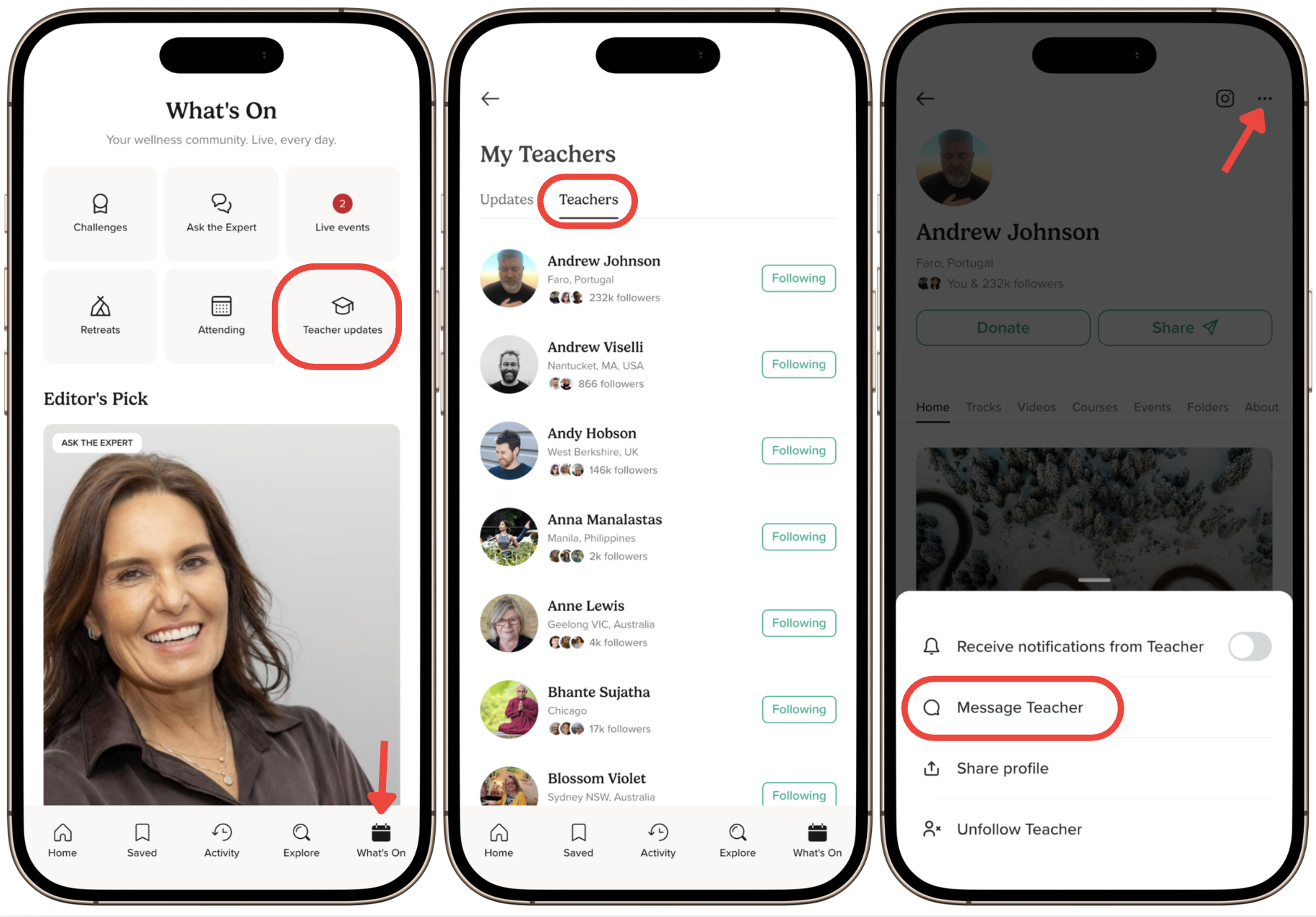
You can send a message to any teacher on Insight Timer whose messaging is enabled. Here's how.
How to Message a Teacher
- Tap the What's On tab at the bottom of the screen.
- Tap Teacher Updates (one of the tile icons at the top of the screen).
- Go to the Teachers tab.
- Select the teacher's profile.
- Tap Follow if you're not already following them.
- Tap the three dots (⋯) in the upper right corner of the screen.
- Select Message Teacher.
Things to Know
Some teachers may have messaging disabled, in which case the option to message them won't appear on their profile. If you'd like to reach out, try checking their profile again—they may enable it in the future.