
How to view your recently played tracks
Your listening history is easy to find. Here's how to see all the meditation and sleep content you've played recently:
- Open the Insight Timer app.
- Go to the Saved tab in the bottom navigation bar.
- Tap Recently Played to see your recent listening history.
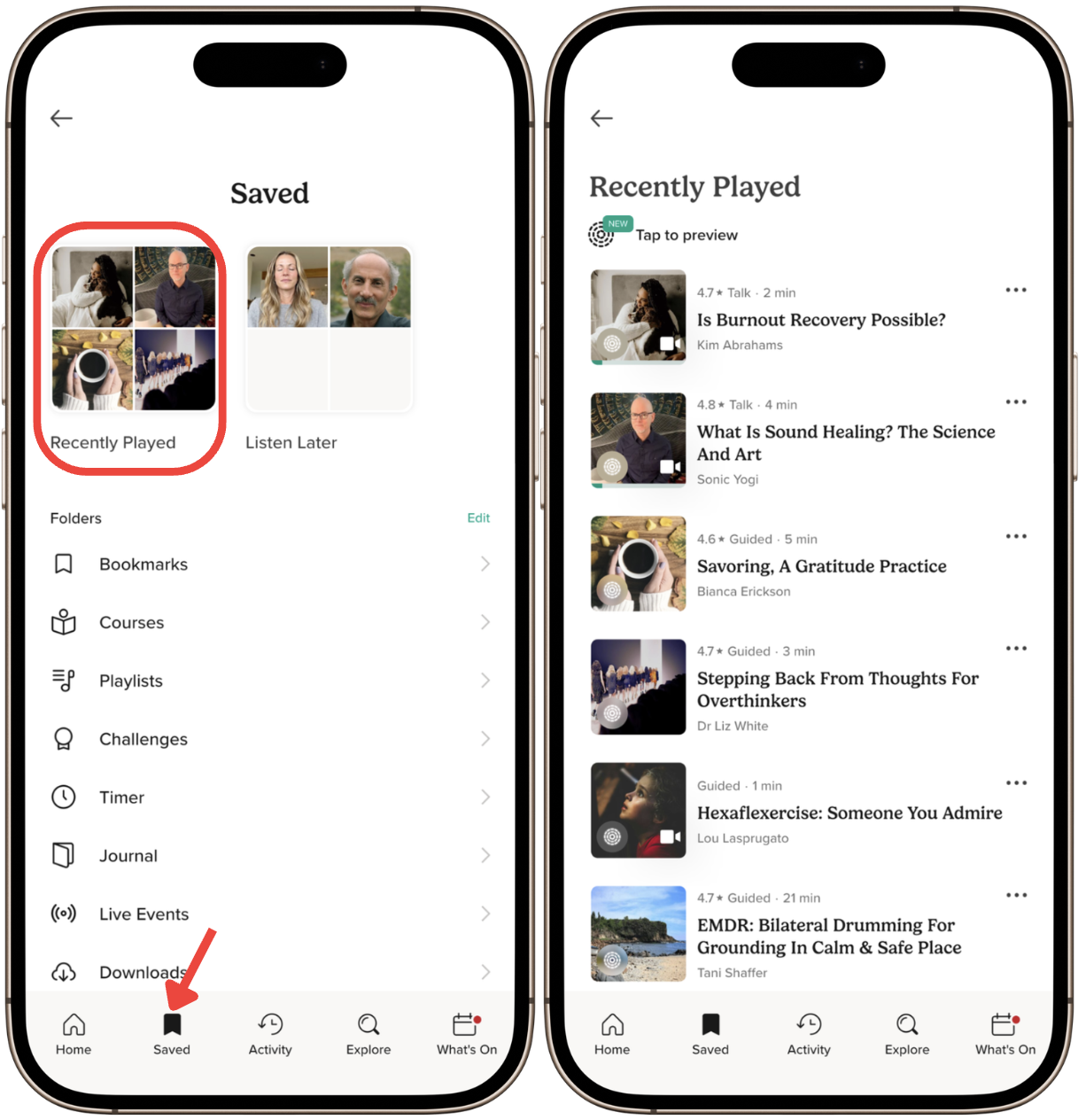
If you cannot see the Saved tab in the bottom navigation bar:
- Go to the Home tab.
- Tap the Saved tile icon at the top of the screen.
- Tap Recently Played.
Your most recently played tracks will be listed there, giving you quick access to your favorite practices.
Manage your library
You can also find your bookmarks, playlists, and downloads here. Use these features to organize your practice and keep your favorite content right at your fingertips.